
If you’re a legal professional and want to automate your document assembling process at the unbeatable price of FREE, you’re in the right place.
Tools like theformtool, HotDocs, Pythagoras, etc have comparable feature, the cost adds up.
And for docassemble there’s a catch:
The learning curve is steep.
That’s where I come in.
In this series, I will guide you through everything that gets you from “this-is-strange” to “Wow! It’s incredible” in the next of my few articles.
Let’s now set up your “playground” — VS Code.
(I’m using Windows through this guide)
Download VS Code from the website
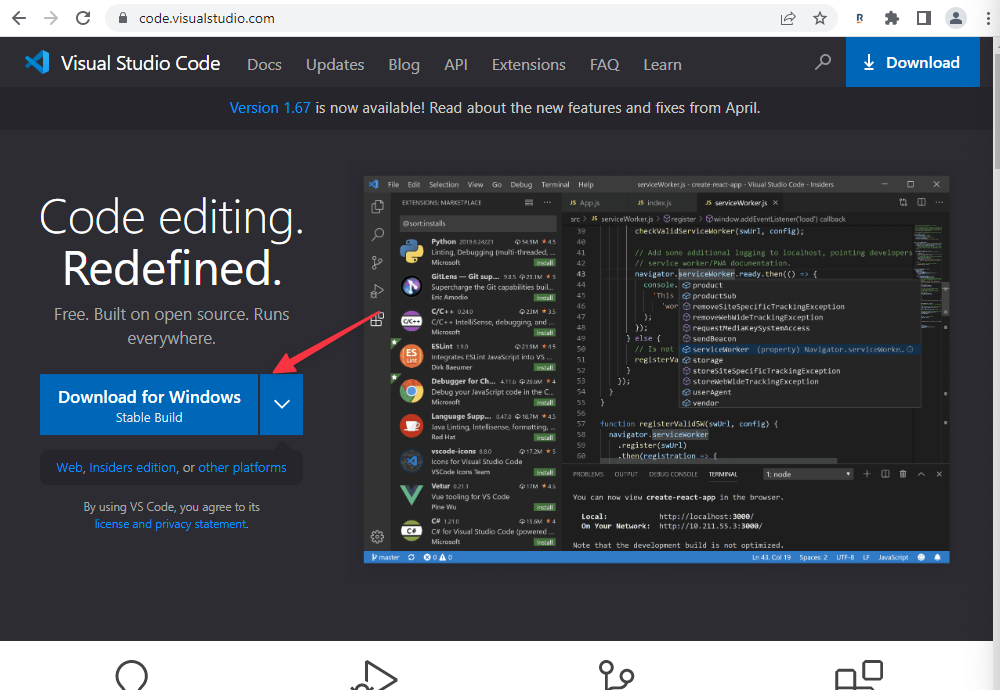
On your browser, (in my case I’m using Google Chrome), go to https://code.visualstudio.com and hit the “Download for X” button, the “X” will be the name of your operating system
Install VS Code
Once the download is complete, open the file and go through the install process (I’m demonstrating installation on Windows)
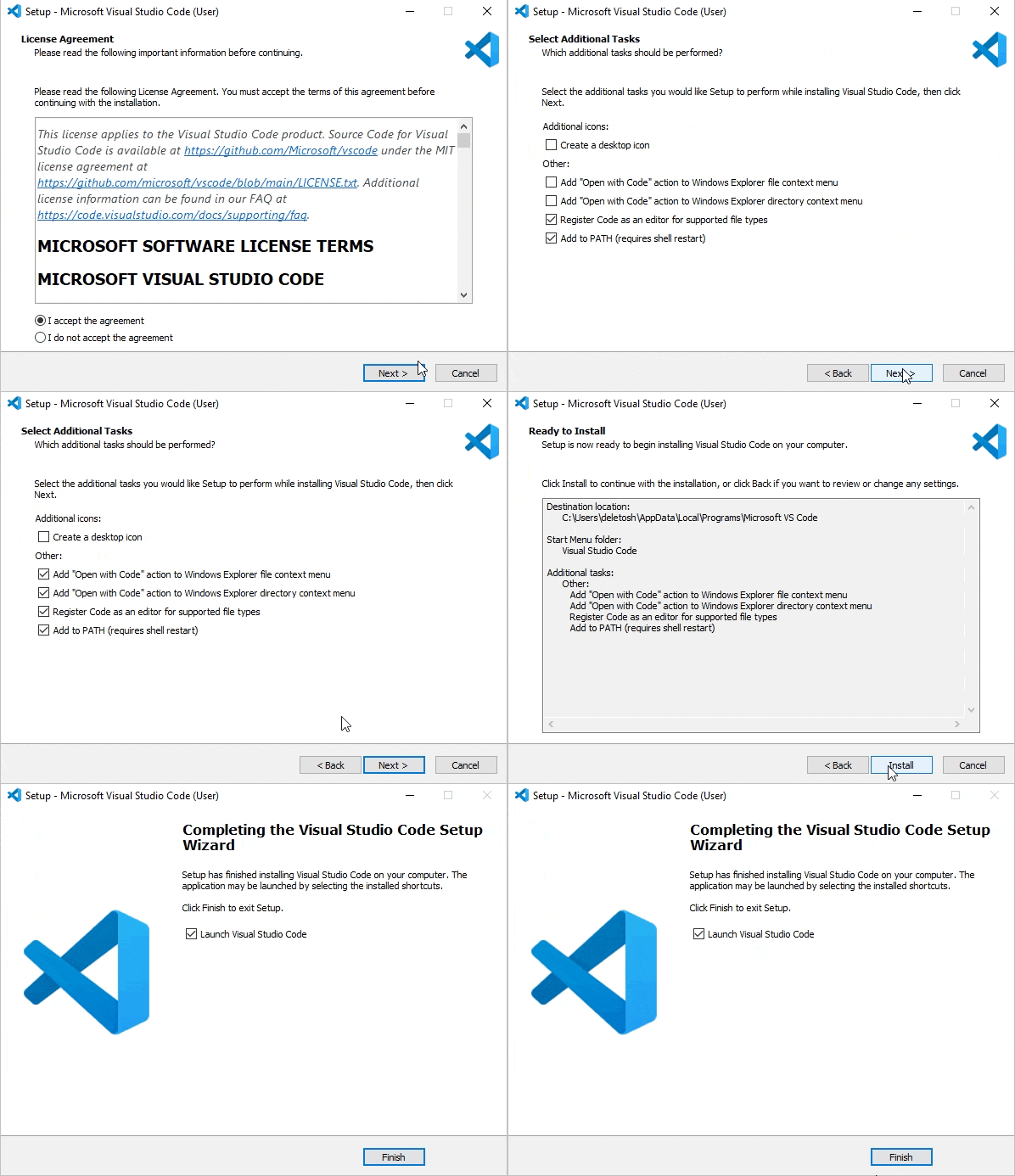
As this completes, if you leave the “Launch VS Code” check, opens into this:
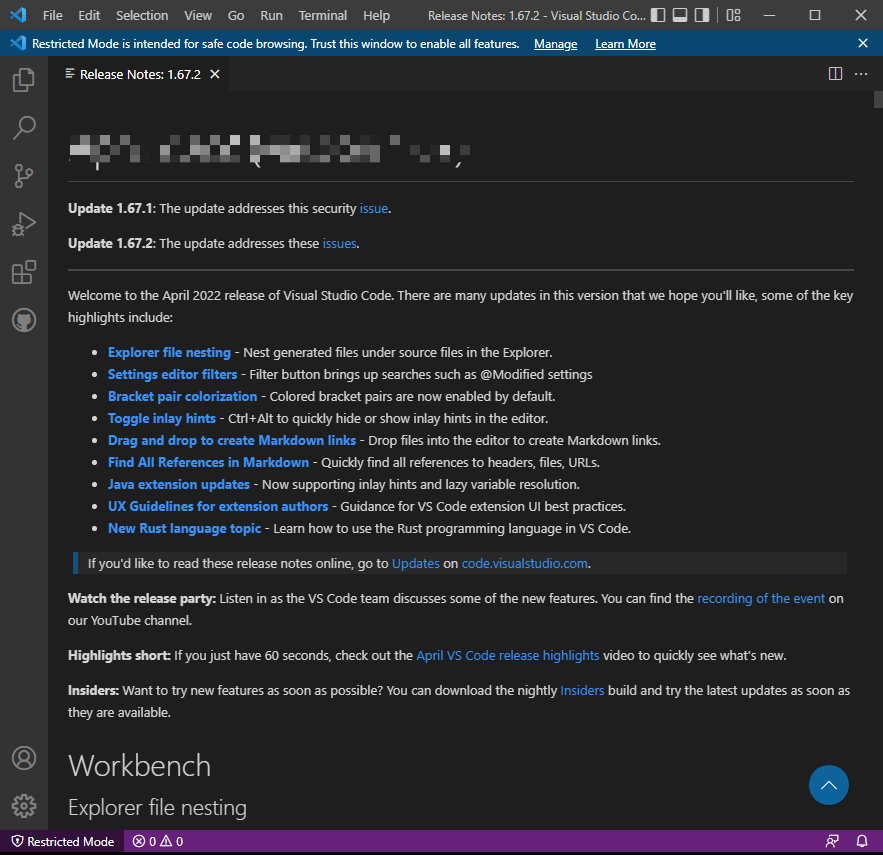
Next, we connect our visual studio code to GitHub.
Install the GitHub extension
To continue with this process, you will need to sign up for a GitHub account.
Once you’ve completed your GitHub account registration, return to the VS Code and click on the extension icon
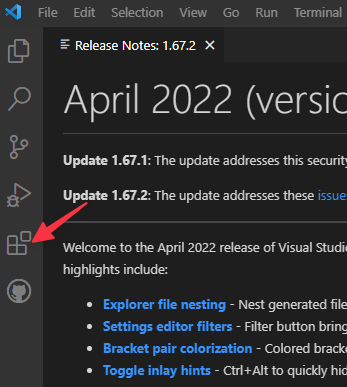
Type “GitHub” and click the “Install” in the dropdown

Now click the avatar icon in the bottom (it might now have the “1” pop-up) and click “Sign in with GitHub to use GitHub Pull Requests and Issues”. This process will open a new browser and have you login into GitHub.

Login with your GitHub credentials. It redirects you back to Visual studio code
You should now have your VS Code setup and connected to GitHub
Discussion